Case 1: Cost Optimization
Goal: Reduce the monthly estimate of ~$7,948 USD without lowering quality.
1. The message estimation error.
The cost estimate of $7,948/month is artificially inflated due to a configuration error in the AWS Calculator.
- The Error: In the AWS IoT Core section, we entered
26,000,000as the “Number of messages for a device”. In Reality: 150 buses 1 msg/10s 26 million messages TOTAL for the whole fleet, not per device. You are currently pricing the system as if you have 3.9 Billion messages per month. The correct message value is:
- The Fix: Correcting this input drops the IoT Core Messaging cost from ~31.73 USD/month.

2. Architectural Redesign for Cost
Even with the correction, we can optimize further to prevent future ballooning.
Use “Basic Ingest” for IoT Core
Buses publish to a standard MQTT topic (e.g., bus/location). The Message Broker charges for receiving it, then the Rules Engine charges to route it. We can configure buses to publish to a reserved topic, for example:$aws/rules/RouteToSQS/bus/location.
This bypasses the Message Broker entirely. We pay $0 for messaging and only pay for the Rule Action to send data to SQS.
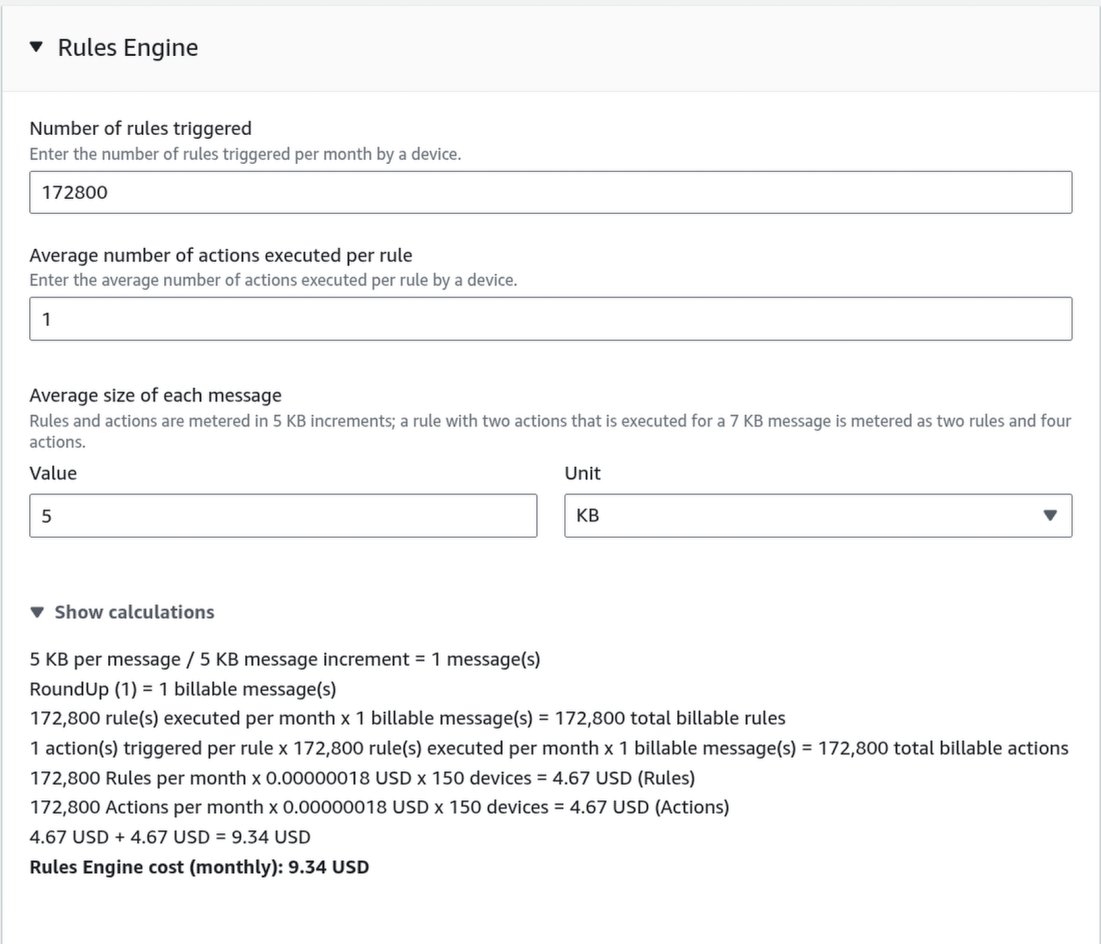
The total cost now becomes:
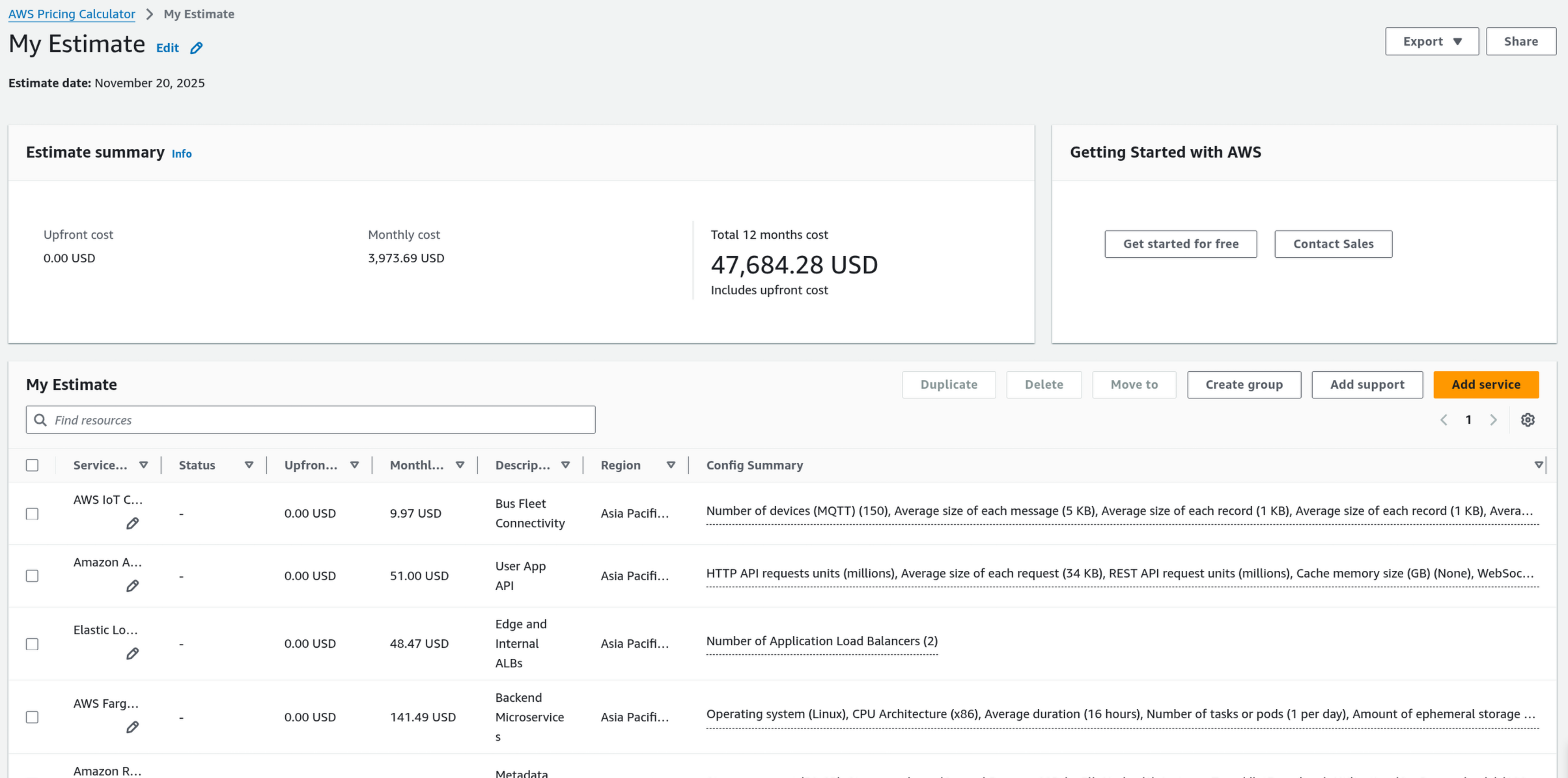
Timestream Tiered Storage (Lifecycle Management)
The current high cost ($3,342) is mostly from “Analytical Queries” scanning huge amounts of data or expensive retention settings. We are configuring the Timestream to run 100 Analytical queries per hour → 2400 times per day.
Reduce Memory Store Retention
The Timestream has 2 internal layers:
- Memory Store: Extremely fast, optimized for writing. Expensive (~$0.036 per GB per hour).
- Magnetic Store: Slower, optimized for reading. Cheap ($0.03 per GB per month). The value for Memory Store is already good, we need to change the Magnetic Store to 1 month, since that’s the interval for us to move the data to S3 (monthly).
Offload to S3
Use a Scheduled Query to aggregate older data (1 months) into Parquet format on Amazon S3.
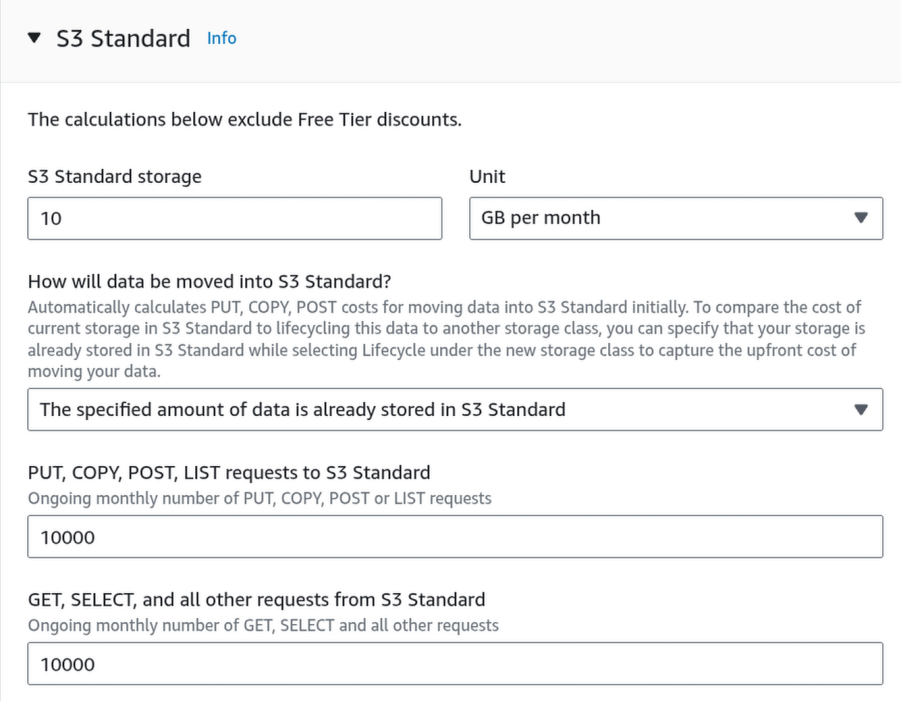
The storage size is calculated as:
We will choose 15GB for safety.
Query S3 via Athena:
Use Amazon Athena for historical analytics (cheaper) and keep Timestream only for the “hot” data needed for real-time tracking.
Athena is designed for “Big Data” analytics, but it also works perfectly for simple lookups.
To our application, Athena looks just like a database. We send it SQL (SELECT * FROM...), and it gives our rows back. The only difference is that Athena creates the “table” on the fly by reading the Parquet files in S3, rather than reading from a running database server.

Since we are storing about ~12 GB/month, a single query usually filters by date. Scanning one day’s worth of Parquet files is roughly 0.4 - 0.5 GB.
3. Final cost
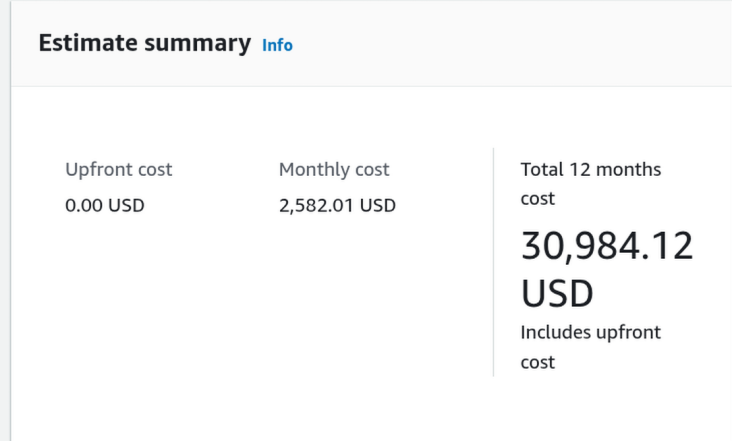
4. Final Architecture
-1.png)
Case 2: Scalability for Future Growth
Handle 10x growth (1,500 buses, 200,000 users) in the next semester.
1. Database (Metadata): Migrate to Aurora Serverless v2
Our current Standard RDS PostgreSQL instance has fixed CPU/RAM. If traffic spikes 10x, it will crash. Resizing it requires downtime (disruption). We have to replace Standard RDS with Amazon Aurora Serverless v2. This will automatically scales up vertically (adds CPU/RAM) in milliseconds when load increases, and scales down when it drops.
Note
Aurora Serverless v2 can be more expensive per-hour than a tiny standard RDS instance if not monitored, but it prevents outages (which are more expensive).

2. SQS-Based Scaling for Fatgate
Standard CPU-based scaling is too slow for “bursty” IoT traffic. If 1,500 buses suddenly send data, the CPU might not spike immediately, but the SQS queue will fill up, causing lag.
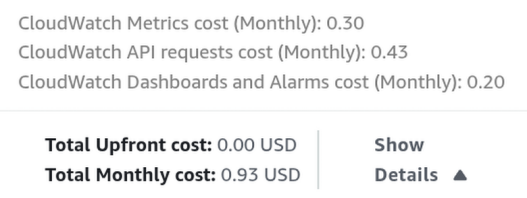
We will implement Target Tracking Scaling based on the SQS “Backlog per Task” metric, using Amazon CloudWatch. There will be 2 alarms:
- “High Backlog” Alarm: Triggers when queue depth > 500 (tells Fargate to add tasks).
- “Low Backlog” Alarm: Triggers when queue depth < 100 (tells Fargate to remove tasks).
3. Final Architecture
.png)
Case 3: Security Hardening
Address vulnerabilities in Authentication, APIs, and Data.
1. Access Control (Authentication)
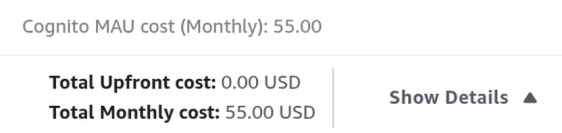
Managing 20,000 user passwords in our own database is a security risk. Hence, we can offload them using Amazon Cognito.
Note
The Advanced security features inside Amazon Cognito configuration while good, it is not needed in this project and will blows our budget.
2. Network Layer: AWS WAF (Web Application Firewall)
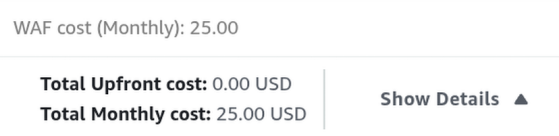
Public APIs are targets for SQL Injection, Cross-Site Scripting (XSS), and Bot attacks. We can prevents such vulnerability by implementing a Firewall.
Let’s assumes that each user makes ~40 API calls per day (checking ETA, hailing a bus), that is:
We round up to 25 million as a safe buffer for the “Number of web requests received across all web ACLs” field.
3. Data Protection: AWS Secrets Manager
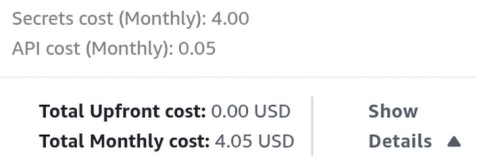
Using Amazon Cognito is just for user authentication/authorization, a better combination is with AWS Secrets Manager to store and rotate credentials for the inner services (API keys, database credentials, Mapbox keys, …).
4. Logging & Monitoring
- AWS CloudTrail: This is our CCTV camera for the AWS Console. It records every time someone changes a security group, deletes a database, or modifies a secret.
- VPC Flow Logs: This records the “Network Traffic” metadata (IP addresses, ports) flowing in and out of your VPC subnets to catch malicious scanning. We don’t need to add a new service for CloudWatch. We just need to Update it. We should also add CloudTrail, which does not contributes to the total cost.
Final cost
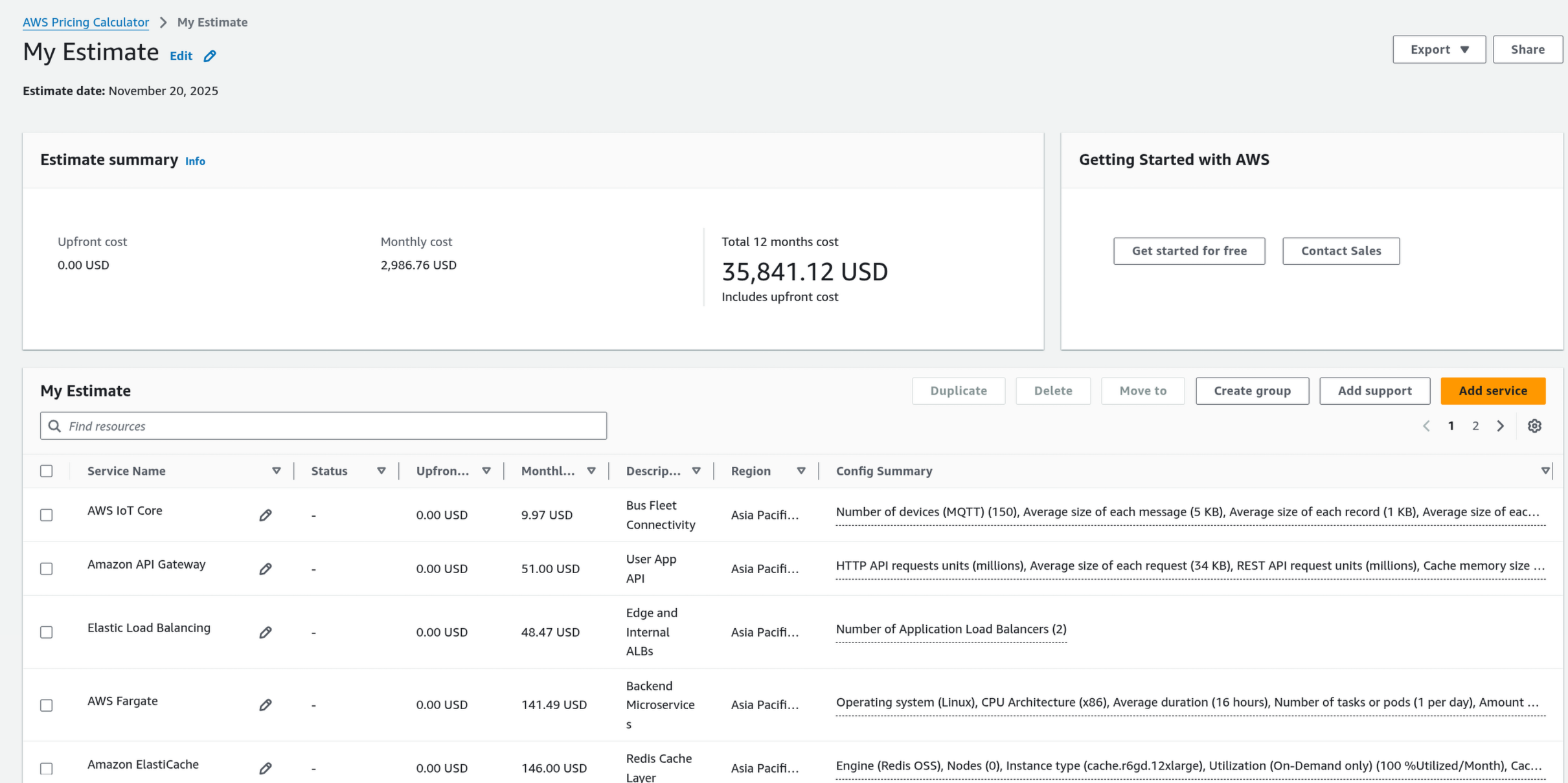
Final Architecture
.png)